Denomination Calculator

Total Amount
$ 0.00
Enter denominations below to begin

Bills

Subtotal: $0.00

Coins

Subtotal: $0.00

What Is a Denomination Calculator

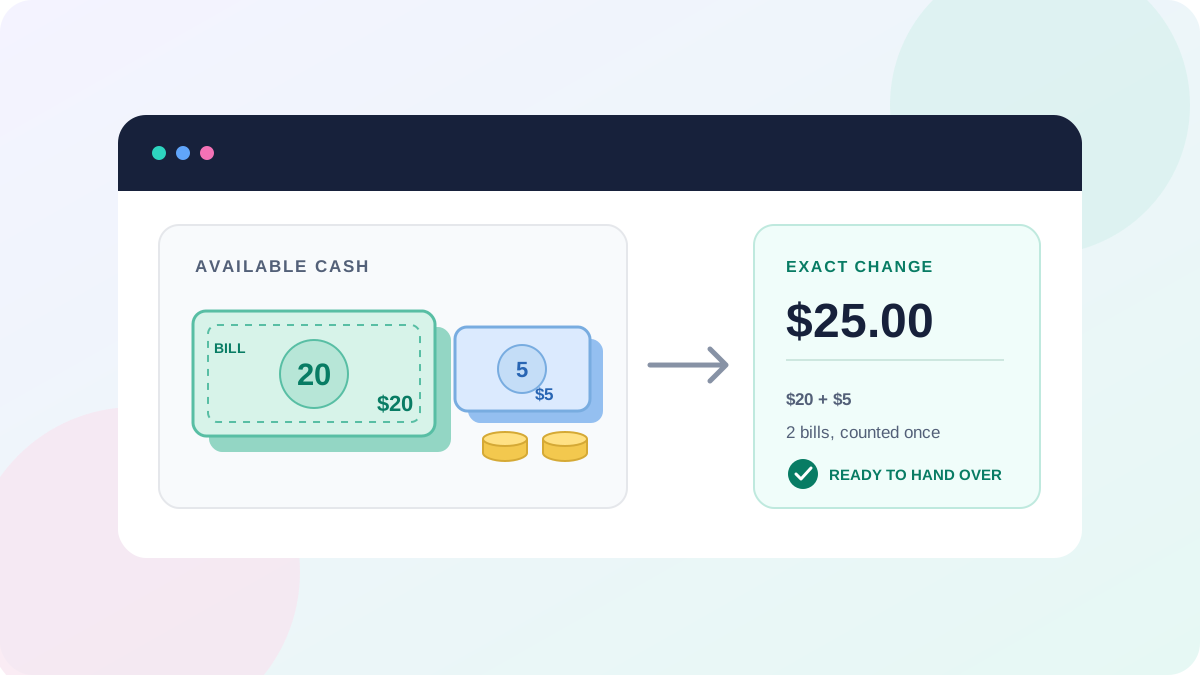
A denomination calculator is a cash denomination counter that totals your bills and coins by multiplying each banknote denomination or coin denomination by the quantity you have. The calculator produces a total sum, an amount in words, and a full denomination breakdown—all in real time.

Bank tellers, retail cashiers, and anyone doing a cash register close use this money calculator to replace manual counting. The denomination calculator removes human error from cash counting machine workflows, producing the same result a bill validator or coin sorter would confirm.

Instant total sum
Zero counting errors
Works on any device

How to Use Denomination Calculator

The denomination calculator works in 3 steps. No account, no download—open it and start counting. Here is exactly how each step works.

1
Pick Currency
2
Enter Quantities
3
See Your Total
Step 1

Pick Your Currency

Select from 10+ supported currencies at the top of the calculator. Each currency loads its own banknote denomination values and coin denomination values automatically.

Supported Currencies
🇺🇸 USD US Dollar
🇪🇺 EUR Euro
🇬🇧 GBP Pound
🇵🇰 PKR Rupee
🇮🇳 INR Rupee
🇦🇺 AUD Dollar
🇨🇦 CAD Dollar
🇸🇦 SAR Riyal
🇦🇪 AED Dirham
🇲🇽 MXN Peso
USD Denominations Loaded
$100 $50 $20 $10 $5 $2 $1
$1 50¢ 25¢ 10¢
Step 2

Enter Quantities

Type the count for each bill and coin denomination you hold. Use + and − buttons or type directly. Totals update live—no submit button needed.

Live Calculation Example
💵 $100
×
3
=
$300.00
💵 $20
×
5
=
$100.00
💵 $5
×
2
=
$10.00
🪙 25¢
×
10
=
$2.50
🪙 10¢
×
8
=
$0.80
Grand Total
$413.30
3 Denominations
10 Bills
18 Coins
Step 3

Read Your Total & Export

View your grand total with amount in words, a full denomination breakdown table, and export in multiple formats for your records.

Output & Export Options
Denomination Breakdown
Denomination Type Qty Subtotal
$100 Bill 3 $300.00
$20 Bill 5 $100.00
25¢ Coin 10 $2.50
Grand Total $413.30
PDF Export Download a printable denomination report
Copy Total One-click copy grand total to clipboard
Full Breakdown Detailed denomination-by-denomination table
10+ Currencies
0ms Calculation Delay
100% Private & Offline
3 Export Formats
Pro Tip: Use the keyboard to speed things up. Tab between denomination fields and type quantities directly. Press Escape to clear focus. The denomination calculator updates your total instantly with every keystroke—no need to click Calculate.

Least Common Denominator Calculator

The term “denomination” appears in 2 different fields: math and money. A least common denominator calculator finds the smallest shared multiple of fraction denominators (e.g., LCD of 1/3 and 1/4 is 12). A cash denomination calculator counts physical bills and coins by face value.

Both tools work with denominations, but the inputs differ. The math version takes fraction denominators. The money version takes banknote denomination counts. This denomination calculator is the money version—it multiplies each bill denomination value by quantity and sums the result.

If you need a least common denominator calculator for fractions, search for “LCD calculator” or “LCM calculator.” For counting cash, bills, and coins, you are in the right place.

Math

LCD Calculator

13 + 14 = 712

Finds shared denominator of fractions

vs
Money

This Calculator

$20 × 5 = $100

Counts cash by denomination value

Common Denominator Calculator

A common denominator calculator in math finds the shared denominator for adding or comparing fractions. In money, “common denominations” refers to the most frequently used bill denominations and coin denominations in a country’s currency system.

For example, the common denominations of USD are $1, $5, $10, $20, $50, $100 bills and 1¢, 5¢, 10¢, 25¢ coins. The denomination calculator on this page counts these common denominations to produce a total sum and a printable denomination breakdown.

Both contexts share the word “denomination,” but the operations differ. The math calculator divides and finds multiples. The money calculator multiplies and sums. This page is the money version—a denomination money calculator for cash counting, denomination sorting, and cash flow optimization.

Denomination & Cash Counting Tools

Explore our complete collection of denomination calculators, cash counting tools, and cash management calculators. Each tool targets a specific cash-handling task with a unique interface and functionality.

FAQ

How to calculate numerator and denominator

The numerator is the top number of a fraction, and the denominator is the bottom number. To calculate the numerator, multiply the whole number by the denominator and add the existing numerator (for mixed numbers). For the denominator, find the least common multiple of both denominators when adding fractions. In money, the “denominator” is the face value on a bill or coin—$20, $10, 25¢. The denomination calculator on this page multiplies each face value (denominator) by the quantity (numerator) to get each subtotal.

How do I use a denomination calculator?

Select your currency, enter the quantity for each bill and coin denomination, and your total updates instantly. Export the breakdown as PDF or copy the total to clipboard.

What is the denomination of amount?

The denomination of amount is the face value printed on a bill or coin — for example, $20 on a twenty-dollar bill or $0.25 on a quarter.

How to Calculate Total Amount of Money

Multiply each denomination by its quantity and sum all subtotals. The denomination calculator does this automatically — just enter quantities.

Who Can Use This Calculator?

Anyone handling cash — bank tellers, retail managers, accountants, parents counting coins, or event organizers. No app, account, or download needed.

How do I calculate the total value of bills?

Multiply each bill denomination by its quantity, then sum the products. Example: 3 × $100 + 7 × $20 + 2 × $5 = $450.

How do I calculate bills and coins together?

Enter quantities for all your bills and coins. The calculator totals each denomination separately and sums everything into one grand total.

What does denomination mean in money?

Denomination means the face value printed on a banknote or coin — for example, a $50 bill is a “$50 denomination.”

Can I use the calculator for different currencies?

Yes. The calculator supports USD, EUR, GBP, PKR, INR, AUD, CAD, JPY, MXN, SAR, and AED. Click the currency tab to switch.

How do I calculate the number of notes for a given amount?

Divide the amount by the largest denomination first, use the remainder for the next, and repeat. Example: $370 = 3×$100 + 1×$50 + 1×$20 = 5 notes.